
Loading article content…
AI14 min read
AI Agent vs Workflow: A Practical Test for When to Use Each
You have a process that eats hours every week, an LLM budget, and someone on the team saying “let’s build an agent.” Before anyone opens a framework, one question decides most of the architecture, cost and risk: does this job need software…
Answer first
Quick answer
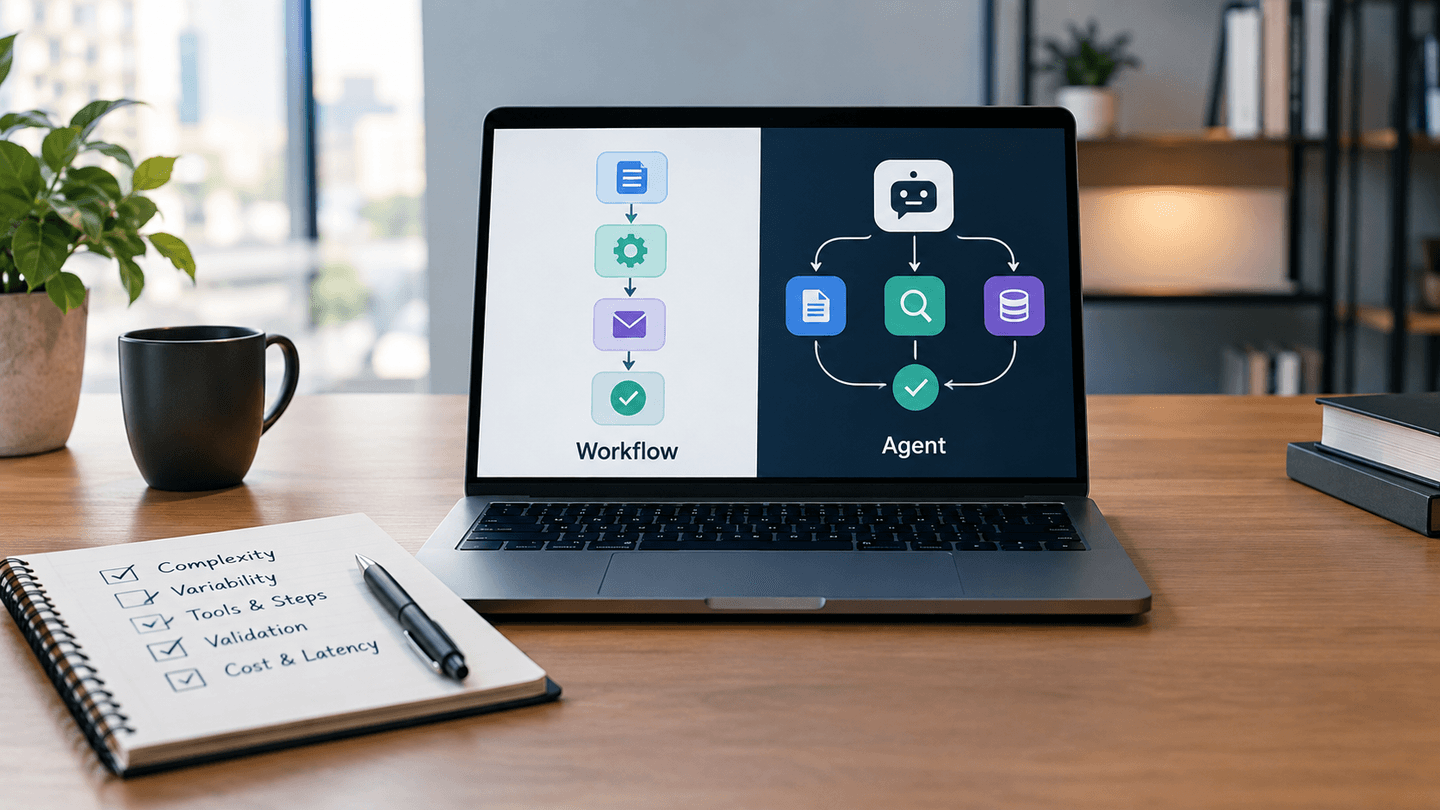
Use a workflow when you can draw every step before the run starts, even if some steps call an LLM. Use an AI agent only when the next step genuinely depends on what the previous step returned, the inputs are too varied for rules, and the result can be checked automatically. Most business automation lands in between: a workflow with one bounded agent step.
- Written by
- Ali Fawad Hassan
- Topic
- AI
- Reading time
- 14 minutes
- Last updated
- 29 Sept 2026
You have a process that eats hours every week, an LLM budget, and someone on the team saying “let’s build an agent.” Before anyone opens a framework, one question decides most of the architecture, cost and risk: does this job need software that chooses its own next step, or software that follows steps you already know? This guide gives you a practical AI agent vs workflow test, three worked examples, and the failure modes we check before recommending either approach.
AI Agent vs Workflow: What Is the Difference?
The clearest definitions come from Anthropic’s engineering guide, Building effective agents. It groups both under the label “agentic systems” and then splits them by who controls the path.
- Workflow: LLMs and tools run through code paths you defined in advance. You own the control flow.
- Agent: the LLM directs its own process and decides which tools to call, and in what order, until it judges the task done.
Two more terms come up constantly. Tool calling (also called function calling) is when a model returns a structured request to run a function, such as “look up order 4417,” and your code executes it. Orchestration is whatever decides which step runs next. In a workflow, your code orchestrates. In an agent, the model does.
OpenAI draws the line in a similar place. Its practical guide to building agents says that applications which use an LLM without letting it control workflow execution, such as a sentiment classifier or a single-turn chatbot, are not agents.
So a pipeline that sends every support email to an LLM for classification and then routes it with an IF node is a workflow. It uses AI. It is still a workflow.
Why “Just Build an Agent” Is Usually the Wrong Default
Both vendors that sell the models behind most agents tell you to hold back. Anthropic recommends finding the simplest solution possible and notes that agentic systems often trade latency and cost for better task performance. It also warns that autonomy brings higher costs and the potential for compounding errors, where one wrong tool result quietly poisons every step after it.
OpenAI’s guide says something similar in plainer terms: validate that your use case clearly meets its agent criteria, otherwise a deterministic solution may suffice.
In integration work, the pressure usually runs the other way. “Agent” sounds more advanced in a proposal, and a demo where the model picks its own tools looks impressive. But the client pays for every extra model call, every retry and every hour spent debugging a run that behaved differently yesterday. The honest question is whether the flexibility buys something the business needs.
The AI Agent vs Workflow Decision Test
Score each question from 0 to 2. A 0 points toward a workflow, a 2 points toward an agent. The questions come from the criteria Anthropic and OpenAI publish, plus the operational checks we run before building anything that writes to a CRM or ERP.
| Question | 0 points (workflow) | 1 point (hybrid) | 2 points (agent) |
|---|---|---|---|
| 1. Can you draw the full path before the run starts? | Yes, every branch is known | Mostly, with a few open-ended cases | No, the steps depend on what each step returns |
| 2. How varied are the inputs? | Structured fields, fixed formats | Semi-structured, a few known variants | Free text, documents or conversations with no stable shape |
| 3. How many tools, and does their order change? | One or two, always in the same order | Several, order mostly fixed | Several, order depends on intermediate results |
| 4. Would your rules become unmaintainable? | A short rule set covers it | Rules work but need frequent edits | The rule set would be huge and still miss cases |
| 5. Can success be checked automatically? | Not needed, output is deterministic | Partly, with schema or range checks | Yes, through tests, API responses or a clear resolution signal |
| 6. How much latency and cost variance can you accept? | None, it must be fast and predictable | Some, within a set budget per run | Seconds to minutes per run and variable spend are fine |
| 7. How strict is the audit requirement? | Every decision must be explainable by rule | Decisions must be logged and reviewable | A logged trace of the model’s reasoning and tool calls is enough |
How to read the score
These thresholds are our working heuristic, not an industry standard. Treat them as a starting point for a conversation with your team.
- 0 to 4: build a workflow. Add LLM calls as fixed steps where you need language understanding.
- 5 to 9: build a hybrid. Keep the workflow in control and give an agent one narrow job inside it.
- 10 to 14: an agent is justified. You still need the guardrails described later in this article.
One rule overrides the score. If a wrong action is expensive or irreversible (a payment, a refund, a deleted record, an email to a customer), the agent does not get that tool without human approval, no matter how high it scored. OpenAI’s guide names exactly these high-risk actions as triggers for human oversight.
The two questions that decide most cases
Question 1 does most of the work. Anthropic describes agents as the right fit for open-ended problems where you can’t predict the number of steps or hardcode a fixed path. If you can sketch the flow on a whiteboard in ten minutes, you already have your answer.
Question 5 is the one teams skip. Agents work best when they can get “ground truth” from the environment at each step, such as a test result or an API confirmation. Anthropic’s two strongest examples, coding and customer support, both have that property. Code either passes tests or it doesn’t. A support ticket either gets resolved or it doesn’t. If nothing tells the agent it went wrong, it will keep going confidently in the wrong direction.
Three Worked Examples
Clear workflow: syncing HubSpot deal data to contacts
Take a lending pipeline where one deal has several applicants, and certain deal properties need to be copied onto every associated contact record. We built this kind of sync in n8n. The trigger is known (a deal property changes). The mapping is known. The target records come from HubSpot’s association API. Nothing in the process requires a judgment call.
Scored against the test, it lands near 0. An agent here would add cost and a new way to fail, such as the model deciding to skip a contact, without any benefit. This is the kind of CRM integration work where a deterministic workflow is the correct design.
Clear agent: support requests that mix lookups and policy
A customer writes: “My order arrived damaged, and I also want to change the shipping address on my other order.” Handling that means reading free text, deciding which systems to query, checking order status, comparing it against a return policy, and possibly issuing a refund.
The path depends on what each lookup returns, the input has no stable shape, and success is visible (the ticket is resolved or escalated). That scores in the agent range. Anthropic’s guide calls out customer support as a natural fit for exactly these reasons. The veto still applies, though: the agent can prepare the refund, and a person or a hard policy limit approves it.
Hybrid: document intake with an exception lane
Supplier invoices arrive as PDFs in different layouts. A workflow receives each file, sends it to an LLM with a fixed extraction prompt and a strict output schema, validates the totals with code, and posts clean records to the accounting system.
Most invoices never need anything more. The ones that fail validation go to an exception lane, where an agent with read-only access can look up the purchase order, compare line items and draft a suggested correction for a person to approve. The workflow stays in charge. The agent only handles the cases rules can’t.
This is the design we reach for most often in API and systems integration projects, because the predictable majority of runs stay cheap and auditable while the messy remainder still gets handled.
Which Workflow Patterns Cover Most “Agent” Use Cases?
Many requests described as agents fit one of the five workflow patterns in Anthropic’s guide. Each keeps your code in control of the path.
| Pattern | What it does | Typical integration use |
|---|---|---|
| Prompt chaining | Splits a task into fixed steps, each LLM call working on the previous output, with code checks between steps | Summarize a call transcript, then draft a CRM note from the summary |
| Routing | Classifies an input and sends it to a specialized handler | Sort inbound emails into sales, support and billing flows |
| Parallelization | Runs independent subtasks at once, or runs the same task several times and compares results | Screen a message for policy issues while a separate call drafts the reply |
| Orchestrator-workers | A central LLM breaks a task into subtasks it decides at runtime and delegates them | Research tasks where the sources to check aren’t known upfront |
| Evaluator-optimizer | One call generates, another critiques, and the loop repeats against clear criteria | Refining generated copy against a style checklist |
Notice that orchestrator-workers already hands the model some control over the path. It is a useful middle step when you need flexibility in one area but still want a defined structure around it.
Where n8n, LangGraph, the OpenAI Agents SDK and MCP Fit
Tool choice follows the AI agent vs workflow decision. It shouldn’t drive it.
n8n is a workflow automation platform, and its AI Agent node runs a tool-calling agent loop inside a workflow. That makes n8n naturally suited to the hybrid pattern: deterministic nodes around a bounded agent step. The node requires at least one connected tool, and its Tools Agent option includes a Max Iterations setting that defaults to 10, which is your first line of defense against loops. We walk through a concrete build in how to build an AI agent in n8n that updates HubSpot, and our workflow automation service covers production n8n deployments.
LangGraph is a code framework from the LangChain team that models an application as a graph of nodes, edges and shared state. It lets you write explicit, workflow-like control flow and agent loops in the same system, which suits teams that want the hybrid in Python or JavaScript rather than a visual builder. The source and docs are linked from the LangGraph repository.
The OpenAI Agents SDK is a code-first framework built around an agent loop, with handoffs between agents, guardrails and tracing. See the Agents SDK documentation. It fits best when the test has already told you an agent is justified.
MCP (Model Context Protocol) is an open protocol for exposing tools and data to models, introduced by Anthropic. It is plumbing. Using MCP doesn’t make a system an agent, and a workflow can call MCP tools just as easily. If you’re deciding how to connect a CRM to a model, our comparison of HubSpot MCP vs the HubSpot API for AI agents covers that choice, and building a production-ready MCP server with Node.js covers the implementation.
Anthropic’s guide adds a caution about all frameworks: they can hide the underlying prompts and responses, which makes debugging harder. It suggests starting with LLM APIs directly and making sure you understand the code under any framework you adopt.
What Goes Wrong When Teams Pick an Agent Too Early?
Loops and runaway spend
An agent that can’t find what it needs will often try again. And again. Each attempt is another model call with a growing context. Without an iteration cap and a per-run budget, one confused run can cost more than a week of normal traffic. OpenAI recommends setting limits on retries and actions and escalating to a human when the agent exceeds them.
Debugging a system that answers differently each time
With a workflow, a failed run points to a node and an input. With an agent, the same input can take a different path tomorrow. You need full traces of every model call and tool result, or you are guessing. Plan for that logging before launch, not after the first incident. Many of the same controls apply to preventing AI chatbots from hallucinating.
Prompt injection through tool results
Prompt injection is when text the model reads contains instructions that override yours. The OWASP entry on prompt injection lists it as the top risk for LLM applications. Agents widen the exposure because they read tool output (emails, web pages, CRM notes) and then decide what to do next. A workflow that only extracts fields into a fixed schema gives injected text far less room to act. An agent with write access to your CRM gives it much more.
Too many overlapping tools
OpenAI’s guide observes that the problem isn’t only how many tools an agent has, but how similar they are. Some agents handle more than 15 well-defined tools, while others struggle with fewer than 10 that overlap. If you find yourself writing “use this tool, not that one” in the system prompt, split the job or turn part of it back into a workflow.
How to Spot Agent-Washing
Agent-washing is marketing a fixed workflow, or a single LLM call, as an “AI agent.” It matters because you may pay agent prices and accept agent risk for something that behaves like a script.
Ask a vendor or internal team three direct questions. Can the system choose a different sequence of tools depending on what it finds? What stops it if it loops? Where can you see the trace of each decision it made? If the first answer is no, it’s a workflow, which may be exactly what you need, but it should be priced and governed as one.
How to Add Agency Without Losing Control
When the test says an agent is justified, these controls keep it manageable:
- Cap iterations and spend per run. Stop the loop and escalate when either limit is hit.
- Rate every tool by risk. OpenAI suggests low, medium or high based on read versus write access, reversibility, permissions and financial impact. Gate high-risk tools behind approval.
- Add human-in-the-loop checkpoints. Human-in-the-loop means the system pauses for a person to approve, edit or reject before it continues. Put these before irreversible actions.
- Scope credentials narrowly. Give the agent its own API keys with the minimum permissions, separate from your integration’s service account.
- Log every step. Keep inputs, model outputs and tool results for each run so you can replay failures.
- Build evals before scaling. Collect real examples with known correct outcomes and rerun them after every prompt or model change.
Useful answers
Frequently Asked Questions
Is an n8n workflow with an AI Agent node an agent or a workflow?
It is a hybrid. The AI Agent node runs a tool-calling loop where the model picks its tools, while the nodes around it follow the path you defined.
Do I need a framework to build an AI agent?
No. Anthropic recommends starting with LLM APIs directly, since many agent patterns take only a few lines of code, and adopting a framework only once you understand what it does underneath.
Should I start with one agent or several?
Start with one. OpenAI’s guide recommends getting the most out of a single agent with good tools before splitting work across multiple agents, because each added agent brings coordination overhead.
Can an agent be turned into a workflow later?
Yes, and it is often a good move. Review the agent’s logged traces, find the paths it takes most often, and hardcode those as workflow branches while keeping the agent for the rare cases.
Which model should an agent use?
OpenAI suggests building the prototype with the most capable model to set an accuracy baseline, then swapping in smaller, cheaper models where evals show they still meet the target.
Are AI agents safe to connect to a CRM or ERP?
They can be, with read-only access by default, narrowly scoped credentials and human approval for any write that affects money or customer records. Without those controls, a prompt injection or a wrong tool choice can change production data.
Start With a Workflow, Add Agency Where the Test Demands It
The whole AI agent vs workflow test fits in one line: if you can draw the path in advance, build a workflow, and give an agent only the parts where the path depends on what the system discovers and the result can be verified.
Start with a workflow. Add LLM steps where you need language understanding. Add agency only where the criteria above demand it, and put guardrails around it from day one.
If you’re weighing an agent for a CRM, ERP or support process, we can review the process against this test and tell you which parts need an agent and which don’t. Learn more about our AI agents and automation work or request an integration and automation audit.
Integr8e perspective
The best technology choice creates useful momentum without adding avoidable complexity.